Firefox Portable Edition 157.0.1 へアップデート
2026/10/07
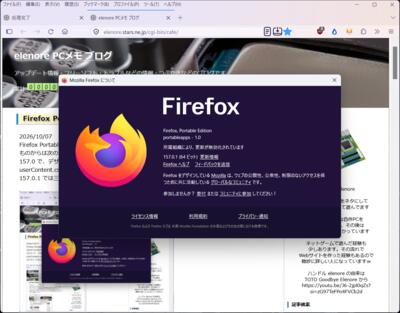
Firefox Portable Edition 157.0.1 へアップデートしたようです。157.0 等の区切りになる
ものからは次のリリースが早いので、それは記事として扱わずにスキップしています
157.0 で、デザインに大きな変更があったようですが、既に userChrome.css と
userContent.css で調整していたためなのか、ぱっと見大きな変更にはなりませんでした
ブックマークツールバーからのメニューなど角丸デザインの取入れを進めたようです
157.0.1 では三件の修正があったようです。今のところ問題ないようです
FirefoxPortable_157.0.1_Japanese.paf.exe
PortableApps.com - Browse /Mozilla Firefox, Portable Ed./Mozilla Firefox, Portable Edition 157.0.1 at SourceForge.net
https://sourceforge.net/projects/portableapps/files/Mozilla%20Firefox%2C%20Portable%20Ed./Mozilla%20Firefox%2C%20Portable%20Edition%20157.0.1/
Firefox 157.0.1、新機能、アップデート、修正点一覧を見る
https://www-firefox-com.translate.goog/en-US/firefox/157.0.1/releasenotes/?_x_tr_sl=auto&_x_tr_tl=ja&_x_tr_hl=ja
アップデートの方法、自動アップデート停止の方法、お勧めアドオンなど
(Firefox Portable Edition 150.0.1)
https://elenore.stars.ne.jp/cgi-bin/cafe/archives/art/00011.html#1
Firefox のタブのデザインを変更して、メニューの間隔をコンパクトにする方法
https://elenore.stars.ne.jp/cgi-bin/cafe/archives/art/00062.html
「Firefox 157.0.1」が公開、3件の不具合と1件の脆弱性に対処 - 窓の杜
https://forest.watch.impress.co.jp/docs/news/2146197.html
「Firefox 157」が正式公開 ~UIとデザインを大幅に刷新、ここ数年で最大 - 窓の杜
https://forest.watch.impress.co.jp/docs/news/2144291.html
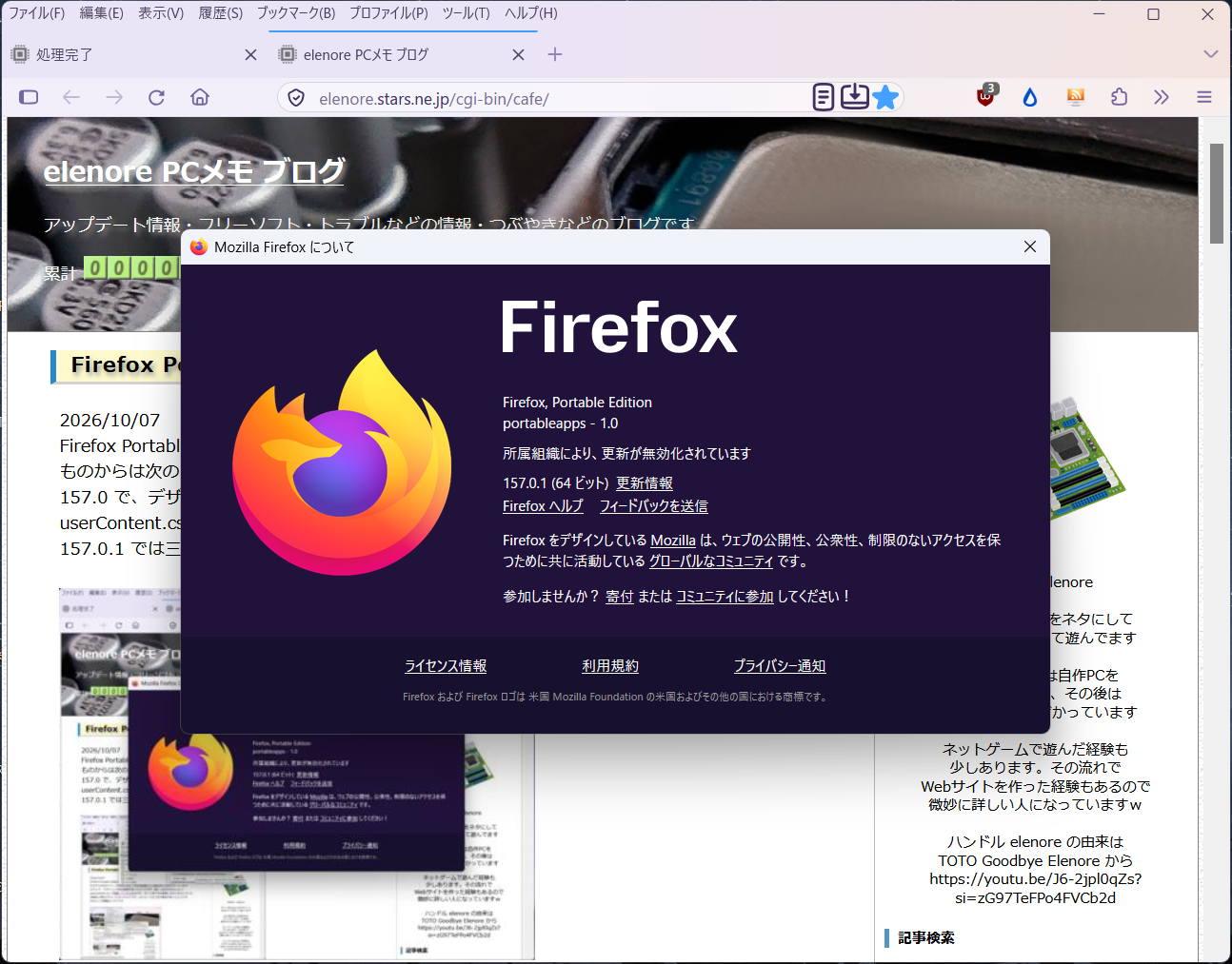
Firefox Portable Edition 157.0.1 へアップデートしたようです。157.0 等の区切りになる
ものからは次のリリースが早いので、それは記事として扱わずにスキップしています
157.0 で、デザインに大きな変更があったようですが、既に userChrome.css と
userContent.css で調整していたためなのか、ぱっと見大きな変更にはなりませんでした
ブックマークツールバーからのメニューなど角丸デザインの取入れを進めたようです
157.0.1 では三件の修正があったようです。今のところ問題ないようです
FirefoxPortable_157.0.1_Japanese.paf.exe
PortableApps.com - Browse /Mozilla Firefox, Portable Ed./Mozilla Firefox, Portable Edition 157.0.1 at SourceForge.net
https://sourceforge.net/projects/portableapps/files/Mozilla%20Firefox%2C%20Portable%20Ed./Mozilla%20Firefox%2C%20Portable%20Edition%20157.0.1/
Firefox 157.0.1、新機能、アップデート、修正点一覧を見る
https://www-firefox-com.translate.goog/en-US/firefox/157.0.1/releasenotes/?_x_tr_sl=auto&_x_tr_tl=ja&_x_tr_hl=ja
アップデートの方法、自動アップデート停止の方法、お勧めアドオンなど
(Firefox Portable Edition 150.0.1)
https://elenore.stars.ne.jp/cgi-bin/cafe/archives/art/00011.html#1
Firefox のタブのデザインを変更して、メニューの間隔をコンパクトにする方法
https://elenore.stars.ne.jp/cgi-bin/cafe/archives/art/00062.html
「Firefox 157.0.1」が公開、3件の不具合と1件の脆弱性に対処 - 窓の杜
https://forest.watch.impress.co.jp/docs/news/2146197.html
「Firefox 157」が正式公開 ~UIとデザインを大幅に刷新、ここ数年で最大 - 窓の杜
https://forest.watch.impress.co.jp/docs/news/2144291.html


Firefox Portable Edition 156.0.1 へアップデート
2026/09/23
Firefox Portable Edition 156.0.1 へアップデートしたようです。156.0 等の区切りになる
ものからは次のリリースが早いので、それは記事として扱わずにスキップしています。今の
ところ問題ないようです。不具合の修正が主な内容のようです
FirefoxPortable_156.0.1_Japanese.paf.exe
PortableApps.com - Browse /Mozilla Firefox, Portable Ed./Mozilla Firefox, Portable Edition 156.0.1 at SourceForge.net
https://sourceforge.net/projects/portableapps/files/Mozilla%20Firefox%2C%20Portable%20Ed./Mozilla%20Firefox%2C%20Portable%20Edition%20156.0.1/
Firefox 156.0.1、新機能、アップデート、修正点一覧を見る
https://www-firefox-com.translate.goog/en-US/firefox/156.0.1/releasenotes/?_x_tr_sl=auto&_x_tr_tl=ja&_x_tr_hl=ja
アップデートの方法、自動アップデート停止の方法、お勧めアドオンなど
(Firefox Portable Edition 150.0.1)
https://elenore.stars.ne.jp/cgi-bin/cafe/archives/art/00011.html#1
Firefox のタブのデザインを変更して、メニューの間隔をコンパクトにする方法
https://elenore.stars.ne.jp/cgi-bin/cafe/archives/art/00062.html
「Firefox 156.0.1」が公開、特定のWebページで応答不能になる問題などに対処 - 窓の杜
https://forest.watch.impress.co.jp/docs/news/2142653.html
「Firefox 156」が正式公開 ~内蔵PDFビューアーの起動が最大45%高速化 - 窓の杜
https://forest.watch.impress.co.jp/docs/news/2141330.html
Firefox Portable Edition 156.0.1 へアップデートしたようです。156.0 等の区切りになる
ものからは次のリリースが早いので、それは記事として扱わずにスキップしています。今の
ところ問題ないようです。不具合の修正が主な内容のようです
FirefoxPortable_156.0.1_Japanese.paf.exe
PortableApps.com - Browse /Mozilla Firefox, Portable Ed./Mozilla Firefox, Portable Edition 156.0.1 at SourceForge.net
https://sourceforge.net/projects/portableapps/files/Mozilla%20Firefox%2C%20Portable%20Ed./Mozilla%20Firefox%2C%20Portable%20Edition%20156.0.1/
Firefox 156.0.1、新機能、アップデート、修正点一覧を見る
https://www-firefox-com.translate.goog/en-US/firefox/156.0.1/releasenotes/?_x_tr_sl=auto&_x_tr_tl=ja&_x_tr_hl=ja
アップデートの方法、自動アップデート停止の方法、お勧めアドオンなど
(Firefox Portable Edition 150.0.1)
https://elenore.stars.ne.jp/cgi-bin/cafe/archives/art/00011.html#1
Firefox のタブのデザインを変更して、メニューの間隔をコンパクトにする方法
https://elenore.stars.ne.jp/cgi-bin/cafe/archives/art/00062.html
「Firefox 156.0.1」が公開、特定のWebページで応答不能になる問題などに対処 - 窓の杜
https://forest.watch.impress.co.jp/docs/news/2142653.html
「Firefox 156」が正式公開 ~内蔵PDFビューアーの起動が最大45%高速化 - 窓の杜
https://forest.watch.impress.co.jp/docs/news/2141330.html
Firefox Portable Edition 155.0.1 へアップデート
2026/09/05
Firefox Portable Edition 155.0.1 へアップデートしたようです。155.0 等の区切りになる
ものからは次のリリースが早いので、それは記事として扱わずにスキップしています。今の
ところ問題ないようです。不具合の修正が主な内容のようです
FirefoxPortable_155.0.1_Japanese.paf.exe
PortableApps.com - Browse /Mozilla Firefox, Portable Ed./Mozilla Firefox, Portable Edition 155.0.1 at SourceForge.net
https://sourceforge.net/projects/portableapps/files/Mozilla%20Firefox%2C%20Portable%20Ed./Mozilla%20Firefox%2C%20Portable%20Edition%20155.0.1/
Firefox 155.0.1、新機能、アップデート、修正点一覧を見る
https://www-firefox-com.translate.goog/en-US/firefox/155.0.1/releasenotes/?_x_tr_sl=auto&_x_tr_tl=ja&_x_tr_hl=ja
アップデートの方法、自動アップデート停止の方法、お勧めアドオンなど
(Firefox Portable Edition 150.0.1)
https://elenore.stars.ne.jp/cgi-bin/cafe/archives/art/00011.html#1
Firefox のタブのデザインを変更して、メニューの間隔をコンパクトにする方法
https://elenore.stars.ne.jp/cgi-bin/cafe/archives/art/00062.html
「Firefox 155.0.1」が公開、特定CSSを用いたWebページの応答不能問題などに対処 - 窓の杜
https://forest.watch.impress.co.jp/docs/news/2138603.html
「Firefox 155」が正式公開 ~Windowsで「Nintendo Switch Proコントローラー」に対応 - 窓の杜
https://forest.watch.impress.co.jp/docs/news/2137467.html
Firefox Portable Edition 155.0.1 へアップデートしたようです。155.0 等の区切りになる
ものからは次のリリースが早いので、それは記事として扱わずにスキップしています。今の
ところ問題ないようです。不具合の修正が主な内容のようです
FirefoxPortable_155.0.1_Japanese.paf.exe
PortableApps.com - Browse /Mozilla Firefox, Portable Ed./Mozilla Firefox, Portable Edition 155.0.1 at SourceForge.net
https://sourceforge.net/projects/portableapps/files/Mozilla%20Firefox%2C%20Portable%20Ed./Mozilla%20Firefox%2C%20Portable%20Edition%20155.0.1/
Firefox 155.0.1、新機能、アップデート、修正点一覧を見る
https://www-firefox-com.translate.goog/en-US/firefox/155.0.1/releasenotes/?_x_tr_sl=auto&_x_tr_tl=ja&_x_tr_hl=ja
アップデートの方法、自動アップデート停止の方法、お勧めアドオンなど
(Firefox Portable Edition 150.0.1)
https://elenore.stars.ne.jp/cgi-bin/cafe/archives/art/00011.html#1
Firefox のタブのデザインを変更して、メニューの間隔をコンパクトにする方法
https://elenore.stars.ne.jp/cgi-bin/cafe/archives/art/00062.html
「Firefox 155.0.1」が公開、特定CSSを用いたWebページの応答不能問題などに対処 - 窓の杜
https://forest.watch.impress.co.jp/docs/news/2138603.html
「Firefox 155」が正式公開 ~Windowsで「Nintendo Switch Proコントローラー」に対応 - 窓の杜
https://forest.watch.impress.co.jp/docs/news/2137467.html
Firefox Portable Edition 154.0.1 へアップデート
2026/08/26
Firefox Portable Edition 154.0.1 へアップデートしたようです。154.0 等の区切りになる
ものからは次のリリースが早いので、それは記事として扱わずにスキップしています。今の
ところ問題ないようです。不具合の修正が主な内容のようです
FirefoxPortable_154.0.1_Japanese.paf.exe
PortableApps.com - Browse /Mozilla Firefox, Portable Ed./Mozilla Firefox, Portable Edition 154.0.1 at SourceForge.net
https://sourceforge.net/projects/portableapps/files/Mozilla%20Firefox%2C%20Portable%20Ed./Mozilla%20Firefox%2C%20Portable%20Edition%20154.0.1/
Firefox 154.0.1、新機能、アップデート、修正点一覧を見る
https://www-firefox-com.translate.goog/en-US/firefox/154.0.1/releasenotes/?_x_tr_sl=auto&_x_tr_tl=ja&_x_tr_hl=ja
アップデートの方法、自動アップデート停止の方法、お勧めアドオンなど
(Firefox Portable Edition 150.0.1)
https://elenore.stars.ne.jp/cgi-bin/cafe/archives/art/00011.html#1
Firefox のタブのデザインを変更して、メニューの間隔をコンパクトにする方法
https://elenore.stars.ne.jp/cgi-bin/cafe/archives/art/00062.html
「Firefox 154.0.1」が公開、パスワード保存方式の変更に起因する問題などに対処 - 窓の杜
https://forest.watch.impress.co.jp/docs/news/2135623.html
「Firefox 154」が正式公開 ~Windowsで「GeForce NOW」に対応、アプリアイコンの変更も - 窓の杜
https://forest.watch.impress.co.jp/docs/news/2133706.html
Firefox Portable Edition 154.0.1 へアップデートしたようです。154.0 等の区切りになる
ものからは次のリリースが早いので、それは記事として扱わずにスキップしています。今の
ところ問題ないようです。不具合の修正が主な内容のようです
FirefoxPortable_154.0.1_Japanese.paf.exe
PortableApps.com - Browse /Mozilla Firefox, Portable Ed./Mozilla Firefox, Portable Edition 154.0.1 at SourceForge.net
https://sourceforge.net/projects/portableapps/files/Mozilla%20Firefox%2C%20Portable%20Ed./Mozilla%20Firefox%2C%20Portable%20Edition%20154.0.1/
Firefox 154.0.1、新機能、アップデート、修正点一覧を見る
https://www-firefox-com.translate.goog/en-US/firefox/154.0.1/releasenotes/?_x_tr_sl=auto&_x_tr_tl=ja&_x_tr_hl=ja
アップデートの方法、自動アップデート停止の方法、お勧めアドオンなど
(Firefox Portable Edition 150.0.1)
https://elenore.stars.ne.jp/cgi-bin/cafe/archives/art/00011.html#1
Firefox のタブのデザインを変更して、メニューの間隔をコンパクトにする方法
https://elenore.stars.ne.jp/cgi-bin/cafe/archives/art/00062.html
「Firefox 154.0.1」が公開、パスワード保存方式の変更に起因する問題などに対処 - 窓の杜
https://forest.watch.impress.co.jp/docs/news/2135623.html
「Firefox 154」が正式公開 ~Windowsで「GeForce NOW」に対応、アプリアイコンの変更も - 窓の杜
https://forest.watch.impress.co.jp/docs/news/2133706.html
Firefox Portable Edition 153.0.4 へアップデート
2026/08/12
Firefox Portable Edition 153.0.4 へアップデートしたようです
今のところ問題ないようです。修正点は一件のみの模様
FirefoxPortable_153.0.4_Japanese.paf.exe
PortableApps.com - Browse /Mozilla Firefox, Portable Ed./Mozilla Firefox, Portable Edition 153.0.4 at SourceForge.net
https://sourceforge.net/projects/portableapps/files/Mozilla%20Firefox%2C%20Portable%20Ed./Mozilla%20Firefox%2C%20Portable%20Edition%20153.0.4/
Firefox 153.0.4、新機能、アップデート、修正点一覧を見る
https://www-firefox-com.translate.goog/en-US/firefox/153.0.4/releasenotes/?_x_tr_sl=auto&_x_tr_tl=ja&_x_tr_hl=ja
アップデートの方法、自動アップデート停止の方法、お勧めアドオンなど
(Firefox Portable Edition 150.0.1)
https://elenore.stars.ne.jp/cgi-bin/cafe/archives/art/00011.html#1
Firefox のタブのデザインを変更して、メニューの間隔をコンパクトにする方法
https://elenore.stars.ne.jp/cgi-bin/cafe/archives/art/00062.html
「Firefox 153.0.4」が公開、ブラウジング履歴を削除するとフリーズする不具合に対処 - 窓の杜
https://forest.watch.impress.co.jp/docs/news/2132161.html
Firefox Portable Edition 153.0.4 へアップデートしたようです
今のところ問題ないようです。修正点は一件のみの模様
FirefoxPortable_153.0.4_Japanese.paf.exe
PortableApps.com - Browse /Mozilla Firefox, Portable Ed./Mozilla Firefox, Portable Edition 153.0.4 at SourceForge.net
https://sourceforge.net/projects/portableapps/files/Mozilla%20Firefox%2C%20Portable%20Ed./Mozilla%20Firefox%2C%20Portable%20Edition%20153.0.4/
Firefox 153.0.4、新機能、アップデート、修正点一覧を見る
https://www-firefox-com.translate.goog/en-US/firefox/153.0.4/releasenotes/?_x_tr_sl=auto&_x_tr_tl=ja&_x_tr_hl=ja
アップデートの方法、自動アップデート停止の方法、お勧めアドオンなど
(Firefox Portable Edition 150.0.1)
https://elenore.stars.ne.jp/cgi-bin/cafe/archives/art/00011.html#1
Firefox のタブのデザインを変更して、メニューの間隔をコンパクトにする方法
https://elenore.stars.ne.jp/cgi-bin/cafe/archives/art/00062.html
「Firefox 153.0.4」が公開、ブラウジング履歴を削除するとフリーズする不具合に対処 - 窓の杜
https://forest.watch.impress.co.jp/docs/news/2132161.html