Firefox のタブのデザインを変更して、メニューアイテムの間隔をコンパクトにする方法
2026/07/08
ポータブル版ではなくても同じ方法で変更できます
デフォルトのタブのデザインを…

背景に馴染んだデザインに変更し

デフォルトのメニューのアイテムの間隔が広いものを…
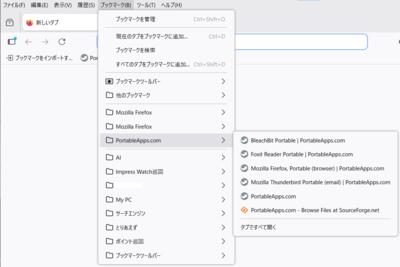
メニューのアイテムの間隔がコンパクトなものに変更するには…
変更方法の手順
ポータブル版ではなくても同じ方法で変更できます
デフォルトのタブのデザインを…

背景に馴染んだデザインに変更し

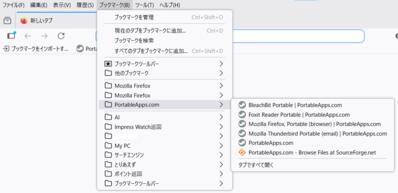
デフォルトのメニューのアイテムの間隔が広いものを…
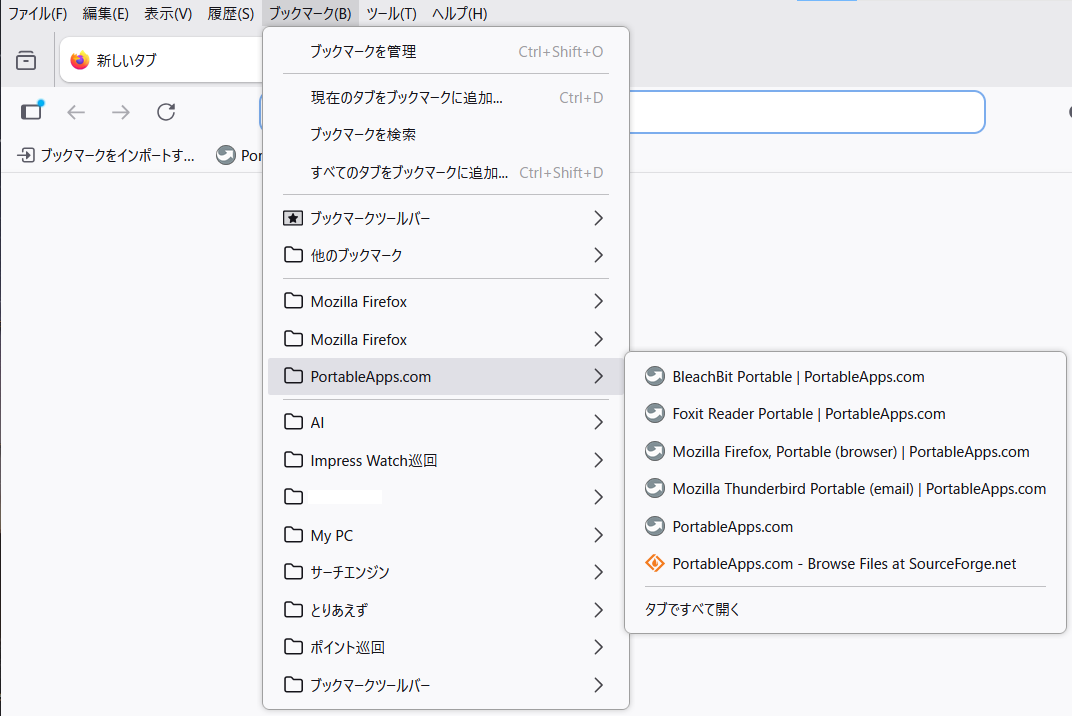
メニューのアイテムの間隔がコンパクトなものに変更するには…
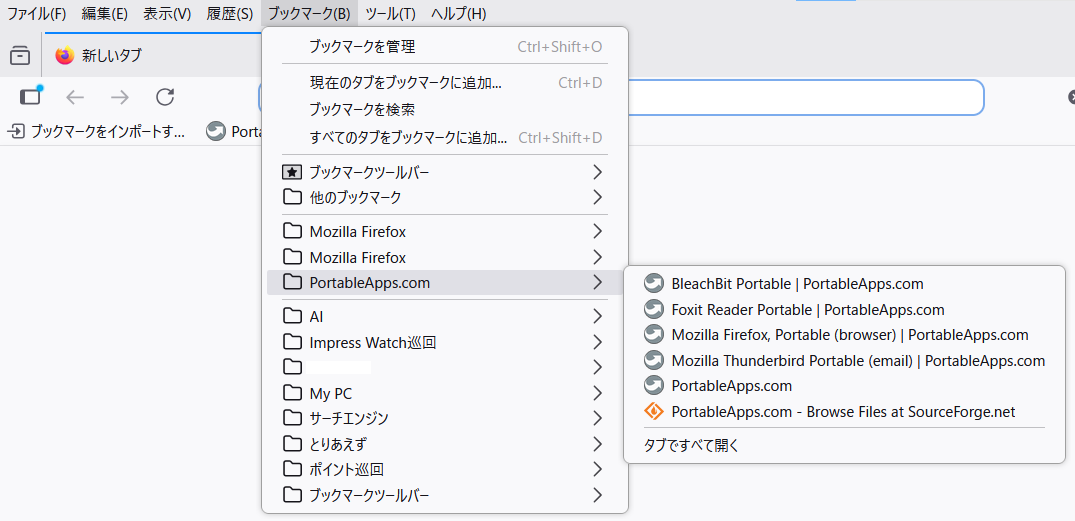
変更方法の手順
- アドレスバーに
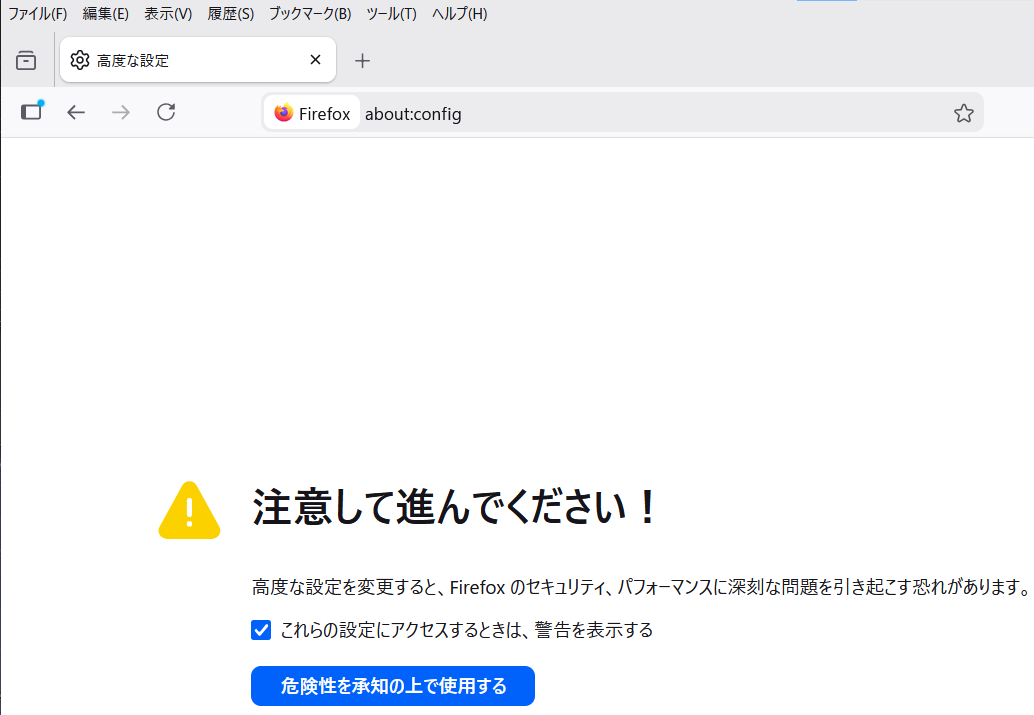
about:configと入力し「危険性を承知の上で使用する」をクリック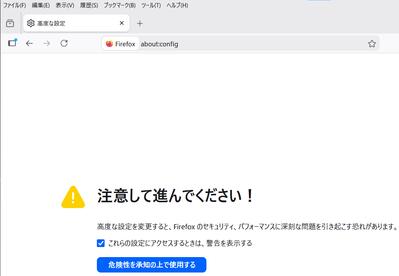
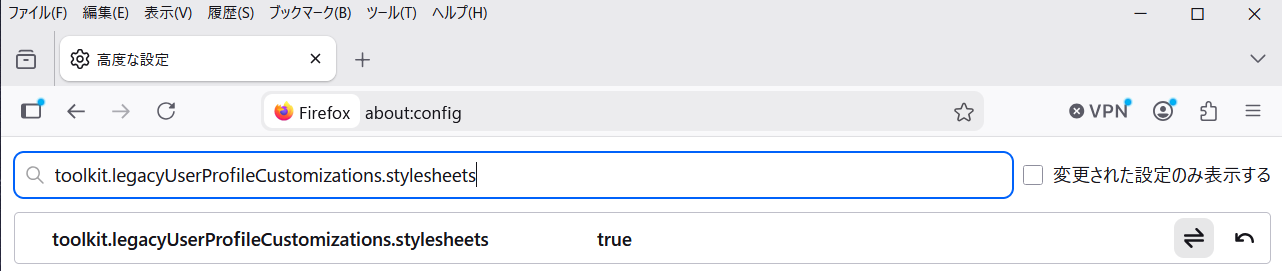
- 設定名を検索に
toolkit.legacyUserProfileCustomizations.stylesheetsと入力し
右端の切り替えボタンをクリックして「true」に変更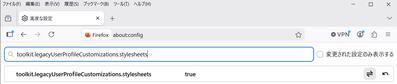
- \FirefoxPortable\Data\profile 内に、フォルダ名を「chrome」としたフォルダを作成
- 以下の二つの css ファイルをダウンロードして、フォルダ「chrome」内に設置
userChrome.css userContent.css - Firefox を再起動


Firefox Portable Edition 152.0.5 へアップデート
2026/07/08
Firefox Portable Edition 152.0.5 へアップデートしたようです。今のところ問題ないようです
FirefoxPortable_152.0.5_Japanese.paf.exe
PortableApps.com - Browse /Mozilla Firefox, Portable Ed./Mozilla Firefox, Portable Edition 152.0.5 at SourceForge.net
https://sourceforge.net/projects/portableapps/files/Mozilla%20Firefox%2C%20Portable%20Ed./Mozilla%20Firefox%2C%20Portable%20Edition%20152.0.5/
Firefox 152.0.5、新機能、アップデート、修正点一覧を見る
https://www-firefox-com.translate.goog/en-US/firefox/152.0.5/releasenotes/?_x_tr_sl=auto&_x_tr_tl=ja&_x_tr_hl=ja
アップデートの方法、自動アップデート停止の方法、お勧めアドオンなど
(Firefox Portable Edition 150.0.1)
https://elenore.stars.ne.jp/cgi-bin/cafe/archives/art/00011.html#1
Firefox のタブのデザインを変更して、メニューの間隔をコンパクトにする方法
https://elenore.stars.ne.jp/cgi-bin/cafe/archives/art/00062.html
「Firefox 152.0.5」が公開 ~保存済みのクレジットカード一覧が空になる問題に対処 - 窓の杜
https://forest.watch.impress.co.jp/docs/news/2123294.html
Firefox Portable Edition 152.0.5 へアップデートしたようです。今のところ問題ないようです
FirefoxPortable_152.0.5_Japanese.paf.exe
PortableApps.com - Browse /Mozilla Firefox, Portable Ed./Mozilla Firefox, Portable Edition 152.0.5 at SourceForge.net
https://sourceforge.net/projects/portableapps/files/Mozilla%20Firefox%2C%20Portable%20Ed./Mozilla%20Firefox%2C%20Portable%20Edition%20152.0.5/
Firefox 152.0.5、新機能、アップデート、修正点一覧を見る
https://www-firefox-com.translate.goog/en-US/firefox/152.0.5/releasenotes/?_x_tr_sl=auto&_x_tr_tl=ja&_x_tr_hl=ja
アップデートの方法、自動アップデート停止の方法、お勧めアドオンなど
(Firefox Portable Edition 150.0.1)
https://elenore.stars.ne.jp/cgi-bin/cafe/archives/art/00011.html#1
Firefox のタブのデザインを変更して、メニューの間隔をコンパクトにする方法
https://elenore.stars.ne.jp/cgi-bin/cafe/archives/art/00062.html
「Firefox 152.0.5」が公開 ~保存済みのクレジットカード一覧が空になる問題に対処 - 窓の杜
https://forest.watch.impress.co.jp/docs/news/2123294.html
Thunderbird Portable Edition 152.0.1 へアップデート
2026/07/02
Thunderbird Portable Edition 152.0.1 へアップデートしたようです。今のところ問題は
ないようです
ThunderbirdPortable_152.0.1_Japanese.paf.exe
PortableApps.com - Browse /Mozilla Thunderbird, P.E./Mozilla Thunderbird, Portable Edition 152.0.1 at SourceForge.net
https://sourceforge.net/projects/portableapps/files/Mozilla%20Thunderbird%2C%20P.E./Mozilla%20Thunderbird%2C%20Portable%20Edition%20152.0.1/
リリースノート — Thunderbird
https://www-thunderbird-net.translate.goog/en-US/thunderbird/152.0.1/releasenotes/?uri=/thunderbird/releasenotes/&locale=ja&version=152.0.1&channel=release&os=WINNT&buildid=20260630165458&_x_tr_sl=auto&_x_tr_tl=ja&_x_tr_hl=ja
アップデートの方法、自動アップデート停止の方法、お勧めアドオンなど
(Thunderbird Portable Edition 150.0.1)
https://elenore.stars.ne.jp/cgi-bin/cafe/archives/art/00016.html#1
Thunderbird のメニューを上部に移動し、メール一覧に背景色をつける方法
https://elenore.stars.ne.jp/cgi-bin/cafe/archives/art/00071.html
無料メーラー「Thunderbird」v152.0.1が公開 ~[全員に返信]ボタンが出ない問題を修正 - 窓の杜
https://forest.watch.impress.co.jp/docs/news/2121941.html
Thunderbird Portable Edition 152.0.1 へアップデートしたようです。今のところ問題は
ないようです
ThunderbirdPortable_152.0.1_Japanese.paf.exe
PortableApps.com - Browse /Mozilla Thunderbird, P.E./Mozilla Thunderbird, Portable Edition 152.0.1 at SourceForge.net
https://sourceforge.net/projects/portableapps/files/Mozilla%20Thunderbird%2C%20P.E./Mozilla%20Thunderbird%2C%20Portable%20Edition%20152.0.1/
リリースノート — Thunderbird
https://www-thunderbird-net.translate.goog/en-US/thunderbird/152.0.1/releasenotes/?uri=/thunderbird/releasenotes/&locale=ja&version=152.0.1&channel=release&os=WINNT&buildid=20260630165458&_x_tr_sl=auto&_x_tr_tl=ja&_x_tr_hl=ja
アップデートの方法、自動アップデート停止の方法、お勧めアドオンなど
(Thunderbird Portable Edition 150.0.1)
https://elenore.stars.ne.jp/cgi-bin/cafe/archives/art/00016.html#1
Thunderbird のメニューを上部に移動し、メール一覧に背景色をつける方法
https://elenore.stars.ne.jp/cgi-bin/cafe/archives/art/00071.html
無料メーラー「Thunderbird」v152.0.1が公開 ~[全員に返信]ボタンが出ない問題を修正 - 窓の杜
https://forest.watch.impress.co.jp/docs/news/2121941.html
Oracle VirtualBox 7.2.12 へメンテナンスアップデート(フリーズ多発は変わらず
2026/07/01
VirtualBox が 7.2.12 にアップデート(メンテナンスリリース)したようです
アップデートは 7.2.8 を手動でアンインストール後に 7.2.12 をインストールする事で
問題なく完了しました。既にある仮想環境は引き継がれたので、実行して確認してみました
が、7.2.10 から変わらず Win11 24H2/25H2 Win10 22H2 の 7.2.8 から引き継いだ仮想環境を
実行すると仮想環境がフリーズする問題が収まる様子はありませんでした。普通に使う事が
できない状況です
それならばと 7.2.12 で新たに環境を作成してみました。が、やっぱり駄目でした…
使用環境
Minisforum UM760 Slim
Ryzen 5 7640HS/Radeon 760M
Mem 32GB(16GBx2)Crucial DDR5-5600 SODIMM 16GB CT16G56C46S5
SSD Crucial P5 Plus CT500P5PSSD8 Gen4 500GB
Win 11 Pro 25H2(2026-06 KB5094126/build:26200.8655
Changelog を見てもフリーズに関する修正はないので、仮想環境がフリーズする問題が
解決するのは期待薄な気がします。仕方ないので 7.2.8 に戻しました
Changelog – Oracle VirtualBox
https://www-virtualbox-org.translate.goog/wiki/Changelog?_x_tr_sl=auto&_x_tr_tl=ja&_x_tr_hl=ja
VirtualBox が 7.2.12 にアップデート(メンテナンスリリース)したようです
アップデートは 7.2.8 を手動でアンインストール後に 7.2.12 をインストールする事で
問題なく完了しました。既にある仮想環境は引き継がれたので、実行して確認してみました
が、7.2.10 から変わらず Win11 24H2/25H2 Win10 22H2 の 7.2.8 から引き継いだ仮想環境を
実行すると仮想環境がフリーズする問題が収まる様子はありませんでした。普通に使う事が
できない状況です
それならばと 7.2.12 で新たに環境を作成してみました。が、やっぱり駄目でした…
使用環境
Minisforum UM760 Slim
Ryzen 5 7640HS/Radeon 760M
Mem 32GB(16GBx2)Crucial DDR5-5600 SODIMM 16GB CT16G56C46S5
SSD Crucial P5 Plus CT500P5PSSD8 Gen4 500GB
Win 11 Pro 25H2(2026-06 KB5094126/build:26200.8655
Changelog を見てもフリーズに関する修正はないので、仮想環境がフリーズする問題が
解決するのは期待薄な気がします。仕方ないので 7.2.8 に戻しました
Changelog – Oracle VirtualBox
https://www-virtualbox-org.translate.goog/wiki/Changelog?_x_tr_sl=auto&_x_tr_tl=ja&_x_tr_hl=ja
Firefox Portable Edition 152.0.4 へアップデート
2026/07/01
Firefox Portable Edition 152.0.4 へアップデートしたようです。今のところ問題ないようです
FirefoxPortable_152.0.4_Japanese.paf.exe
PortableApps.com - Browse /Mozilla Firefox, Portable Ed./Mozilla Firefox, Portable Edition 152.0.4 at SourceForge.net
https://sourceforge.net/projects/portableapps/files/Mozilla%20Firefox%2C%20Portable%20Ed./Mozilla%20Firefox%2C%20Portable%20Edition%20152.0.4/
Firefox 152.0.4、新機能、アップデート、修正点一覧を見る
https://www-firefox-com.translate.goog/en-US/firefox/152.0.4/releasenotes/?_x_tr_sl=auto&_x_tr_tl=ja&_x_tr_hl=ja
アップデートの方法、自動アップデート停止の方法、お勧めアドオンなど
(Firefox Portable Edition 150.0.1)
https://elenore.stars.ne.jp/cgi-bin/cafe/archives/art/00011.html#1
Firefox のタブのデザインを変更して、メニューの間隔をコンパクトにする方法
https://elenore.stars.ne.jp/cgi-bin/cafe/archives/art/00062.html
「Firefox 152.0.4」が公開 ~新しいAI機能「Smart Window」を強化、脆弱性の修正も - 窓の杜
https://forest.watch.impress.co.jp/docs/news/2121458.html
Firefox Portable Edition 152.0.4 へアップデートしたようです。今のところ問題ないようです
FirefoxPortable_152.0.4_Japanese.paf.exe
PortableApps.com - Browse /Mozilla Firefox, Portable Ed./Mozilla Firefox, Portable Edition 152.0.4 at SourceForge.net
https://sourceforge.net/projects/portableapps/files/Mozilla%20Firefox%2C%20Portable%20Ed./Mozilla%20Firefox%2C%20Portable%20Edition%20152.0.4/
Firefox 152.0.4、新機能、アップデート、修正点一覧を見る
https://www-firefox-com.translate.goog/en-US/firefox/152.0.4/releasenotes/?_x_tr_sl=auto&_x_tr_tl=ja&_x_tr_hl=ja
アップデートの方法、自動アップデート停止の方法、お勧めアドオンなど
(Firefox Portable Edition 150.0.1)
https://elenore.stars.ne.jp/cgi-bin/cafe/archives/art/00011.html#1
Firefox のタブのデザインを変更して、メニューの間隔をコンパクトにする方法
https://elenore.stars.ne.jp/cgi-bin/cafe/archives/art/00062.html
「Firefox 152.0.4」が公開 ~新しいAI機能「Smart Window」を強化、脆弱性の修正も - 窓の杜
https://forest.watch.impress.co.jp/docs/news/2121458.html